Open the solid rocket example, solve the motor and its flight, read the one warning, change one input and solve again. Recorded in the app in trial mode, so everything shown works without a license.
Narrated walkthrough, 2:46, recorded in RPL Engine Workbench 2.0.1 in trial mode. MP4, 14 MB.Transcript
This is RPL Engine Workbench 2.0, running in its 30-day trial. The trial requires no account or license key. A new project opens with a liquid engine example: the Apollo Lunar Module ascent engine. For this walkthrough, I'll open the solid rocket example instead. Go to File, Open Example, Solid Rocket. The example opens unsolved. The Home tab shows the motor to scale, including the grain, case bore, and nozzle. On the Define tab, the Motor section sets the engine type. This example already has its grain and nozzle defined, so the sizing targets are left empty. The Propellant section contains the ballistic data used in the solve. Each value also lists its published source. The Grain section lists two segments. The end view shows how the burning surface moves outward through the web. Press Solve. The status badge in the top right now shows solved, with one warning. The Review tab opens on the burn results. Here you can see thrust and chamber pressure throughout the burn. The dashed line marks the instant used by the CFD tab. The burn summary identifies the motor as a J367, with a burn time of 1.94 seconds. The Flight tab simulates the vehicle using this motor. Apogee is approximately 6,490 feet. Top speed is Mach 0.97, and the minimum stability margin is 2.21 calibers. One warning is listed. You can find its details under Warnings and Basis, on the Results page. Above Mach 0.8, drag and center of pressure are interpolated, so that portion of the flight should be treated as approximate. The Basis section also lists the assumptions behind the simulation, along with their sources. Now let's change one input. Recovery settings are located under Vehicle and Launch, then Launch and Recovery. The main parachute currently opens at 492 feet. I'll increase that to 1,000 feet. Notice that the previous results are now marked stale, both in the status badge and on the export buttons. The case needs to be solved again. Apogee stays the same, but the longer parachute descent increases drift. Landing distance moves from 4,863 feet to 5,343 feet. The trial doesn't allow projects to be saved. If you press Save, the application explains that limitation. You can still export a PDF report of the case. The trial report includes a watermark in the footer of each page. If something isn't working, select Help, then Submit Support Ticket. This opens an email to support in your own mail application. You can find the download, methods, and written guides at rocketpropulsionlab.net.
Steps
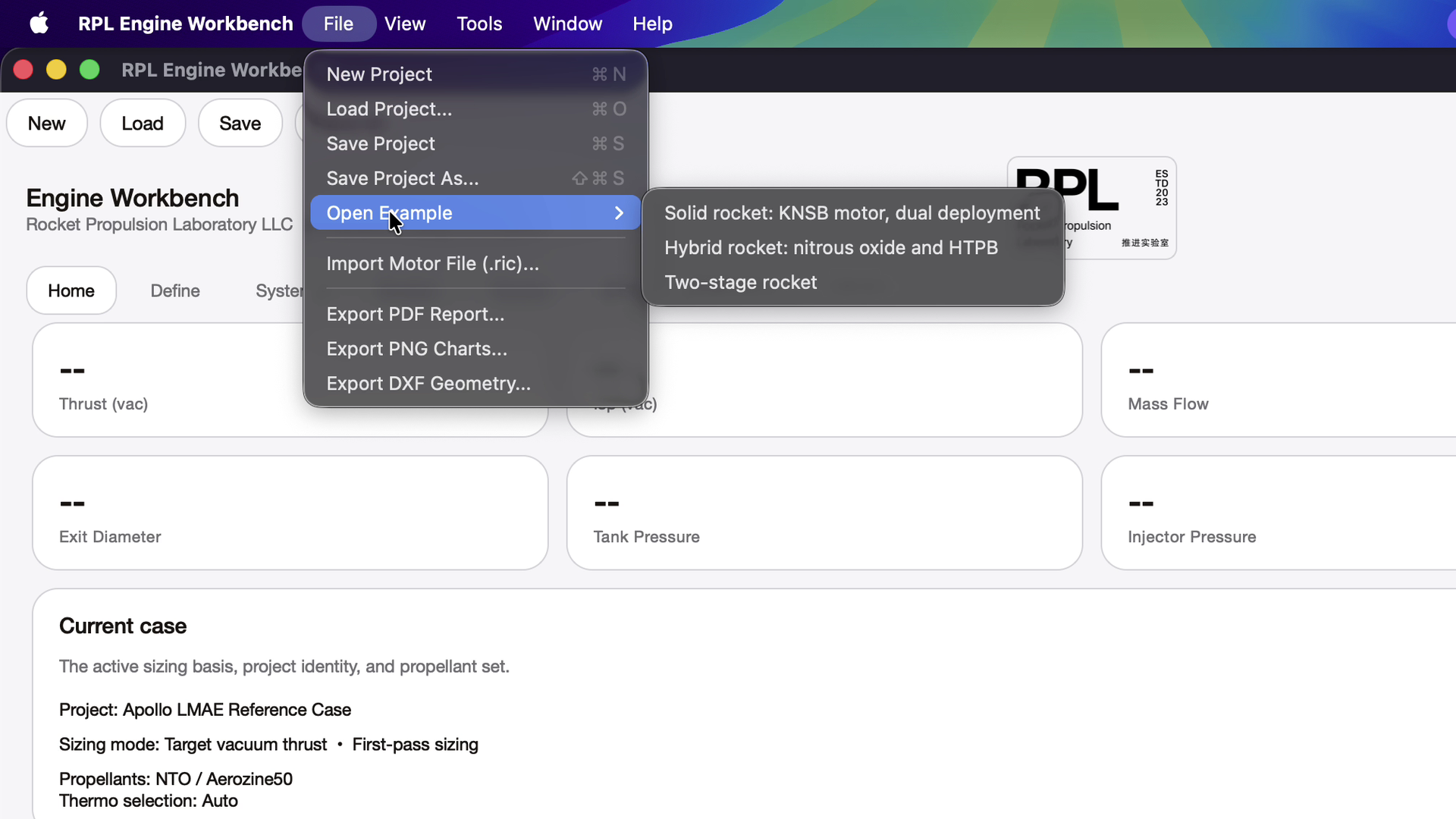
Open the solid rocket example. Choose File → Open Example → Solid rocket: KNSB motor, dual deployment. It opens unsolved, and the Home tab draws the motor to scale. A new project starts from the liquid engine example, the Apollo Lunar Module ascent engine; the hybrid and two-stage examples are in the same menu.
File → Open Example lists the solid rocket, hybrid rocket and two-stage rocket.
Read the inputs on the Define tab. Motor sets the engine type; this example has its grain and nozzle defined, so the sizing targets are empty. Propellant holds the ballistic data the solve uses, each value with its published source. Grain lists the segments and draws the burning surface at equal steps of web.
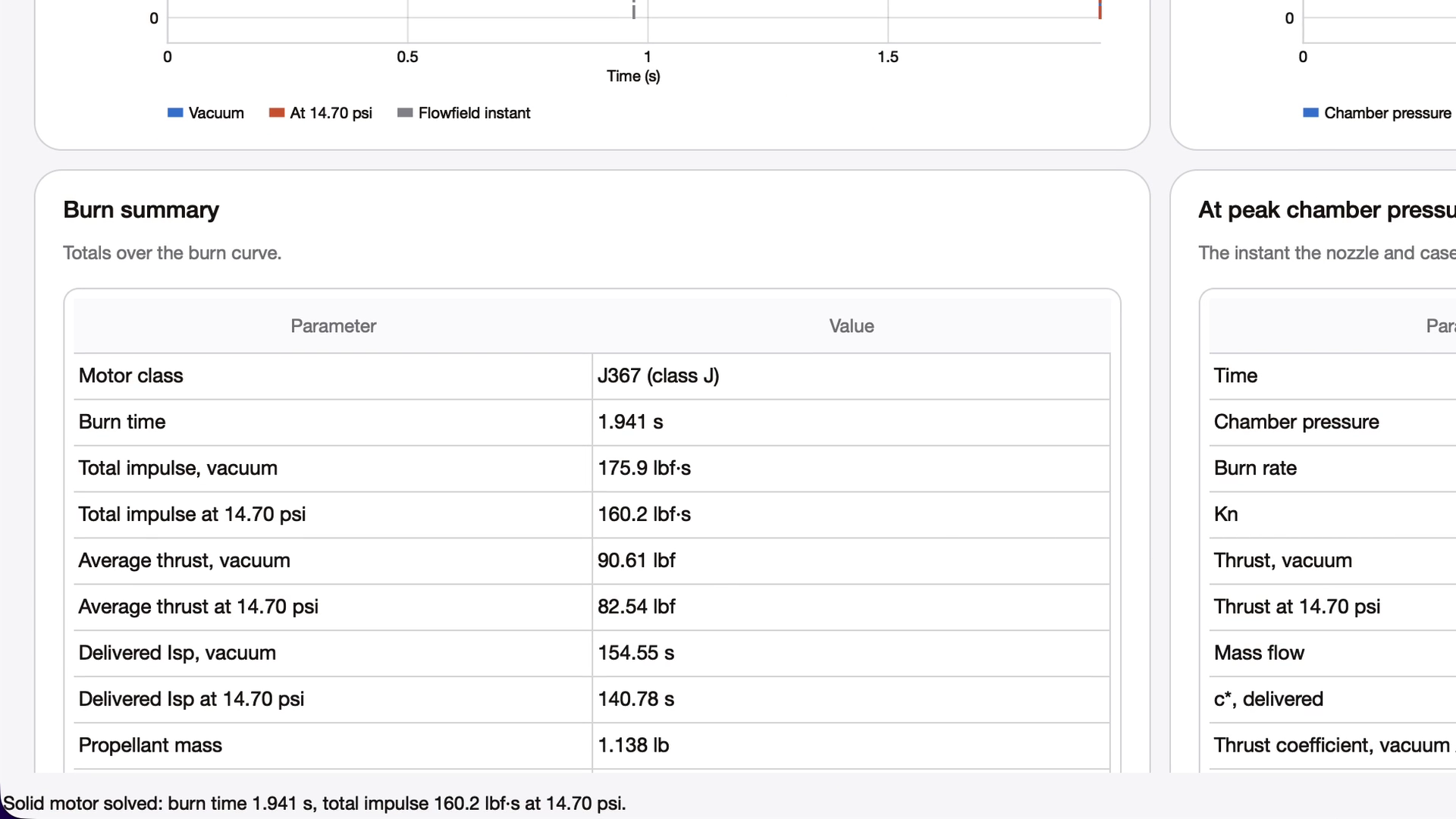
Press Solve. The badge at the top right shows the state: solved, with one warning. Review opens on the burn: thrust and chamber pressure through the burn, then the burn summary.
The burn summary: a J367 with a 1.941 s burn.
Open the Flight tab. The vehicle flies on the motor you just solved. For this example: 6,487.9 ft apogee, 1,070 ft/s (Mach 0.97) top speed, lowest stability margin 2.21 calibers (1.15 in wind), and the landing point 4,863.1 ft from the pad.
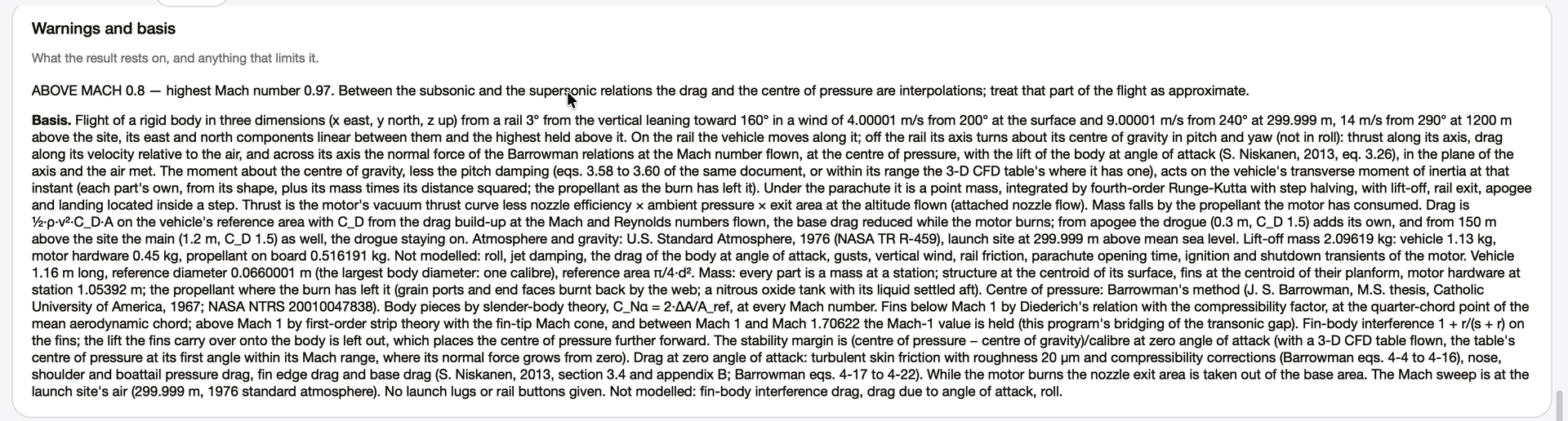
Read the warning. The line under the cards points to Warnings and basis on the Results page. Above Mach 0.8 the drag and the centre of pressure are interpolated between the subsonic and supersonic relations, so that part of the flight is approximate. The basis lists each assumption with its source.
Warnings and basis: what the flight result rests on.
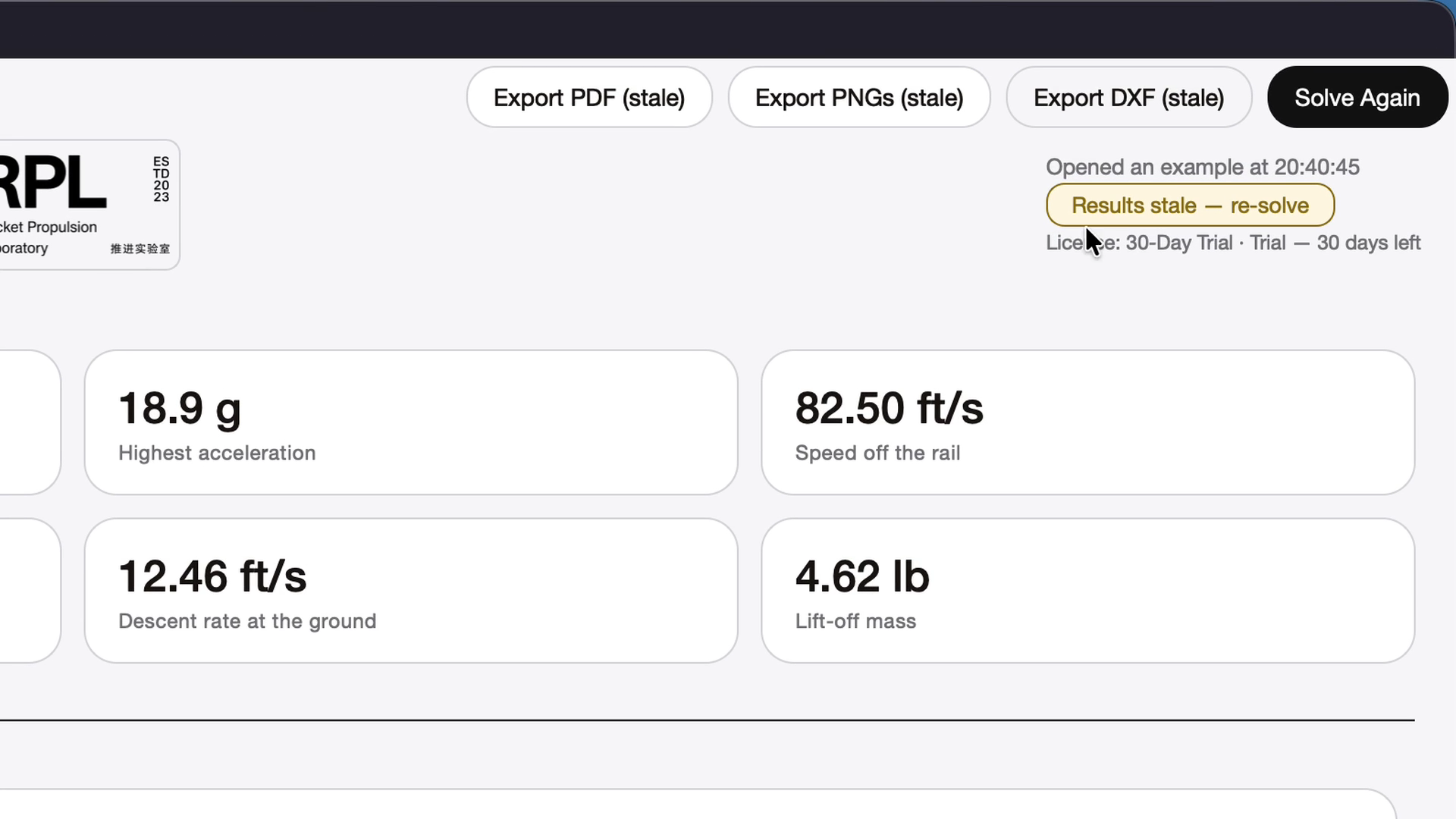
Change one input and solve again. On Vehicle and launch, under Launch and recovery, change Main opens at from 492 to 1,000 ft. Every result from the earlier solve is marked stale, on the badge and on the export buttons, until you press Solve Again. Apogee does not change; the landing point moves to 5,342.9 ft from the pad.
After an input changes, the earlier results are marked stale until the case is solved again.
See what the trial does not do. Save shows a message: the trial cannot save projects, custom propellants, library changes or image exports. Export PDF works, and the report carries a trial watermark in the page footer.
The footer of a report exported in the trial.
Every value here is preliminary design output from the example’s inputs. Read the warnings and the basis with each result, and check anything you build against test data and an independent review. Methods and assumptions lists the models.